Bring your inventory
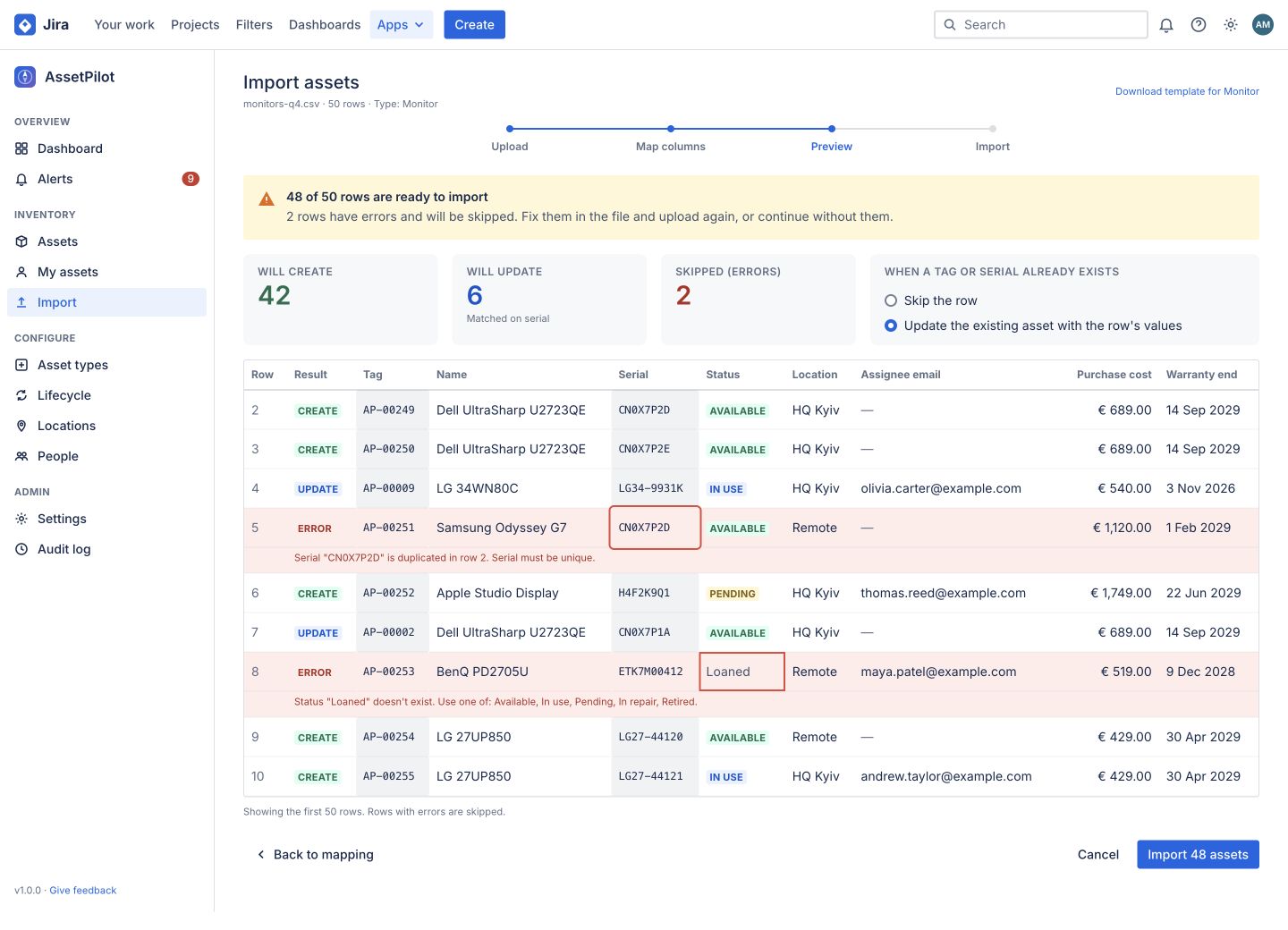
Map your CSV columns, review row errors and choose how to handle matching asset tags or serial numbers before you import.
AssetPilot brings inventory, ownership and asset lifecycles into Jira. Give every request the context it needs.
Built on Atlassian Forge.
A product by Plugins Factory.
 AssetPilot for Jira
Your inventory, with the whole story.
Open product tour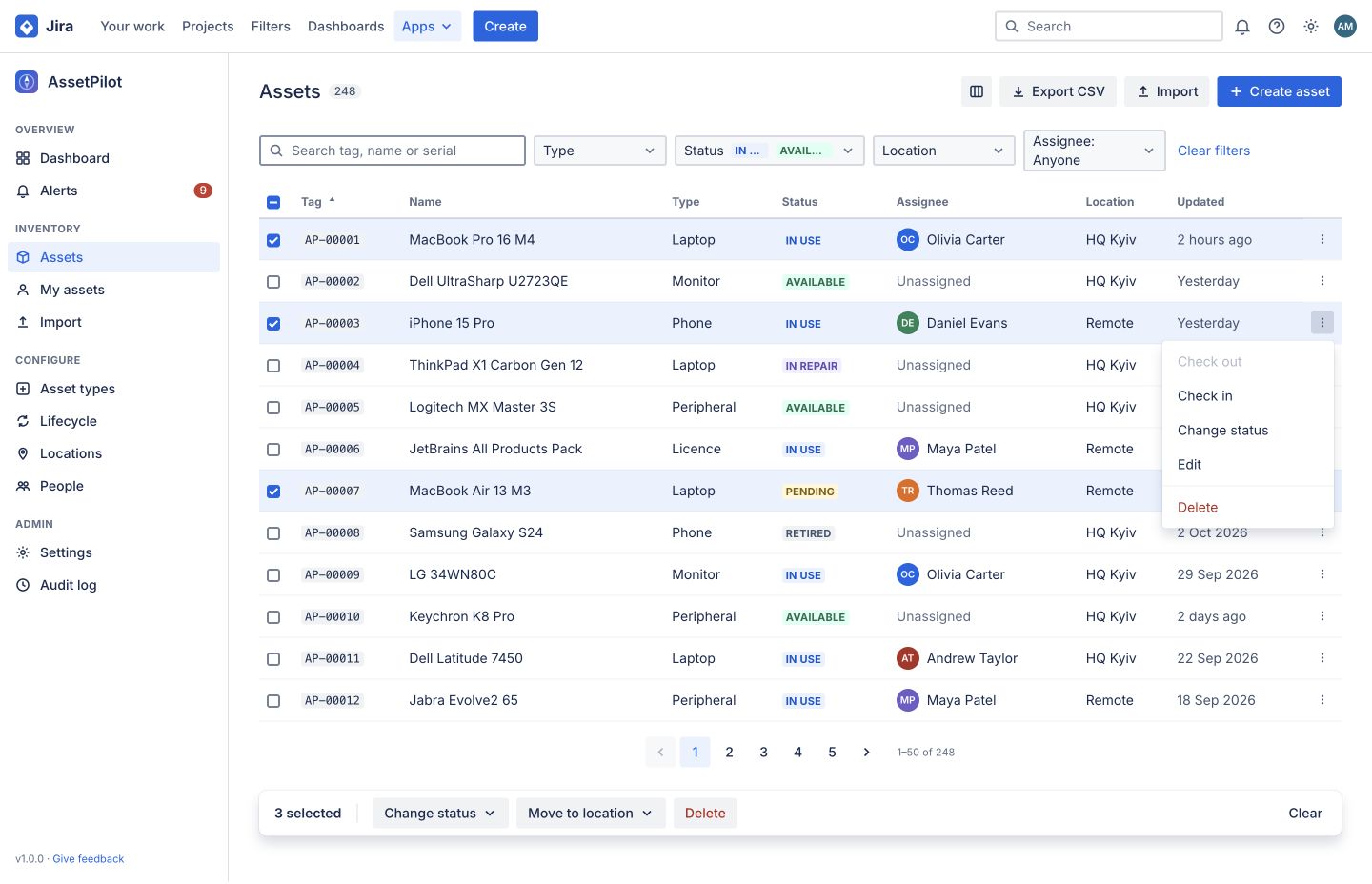
One register for your devices, owners, locations and history. Open the same record from the Jira issue that needs it.
Find equipment by tag, serial number, owner or location. Select several assets to update their status or move them together.
Map your CSV columns, review row errors and choose how to handle matching asset tags or serial numbers before you import.
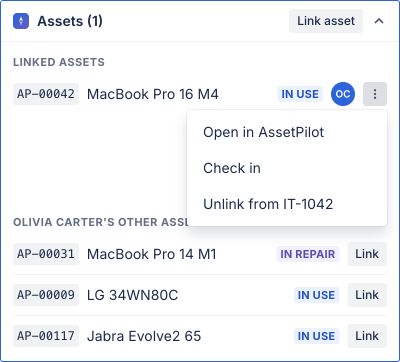
Link equipment to a request. See the reporter’s assets. Check devices in or out without losing the ticket’s context.
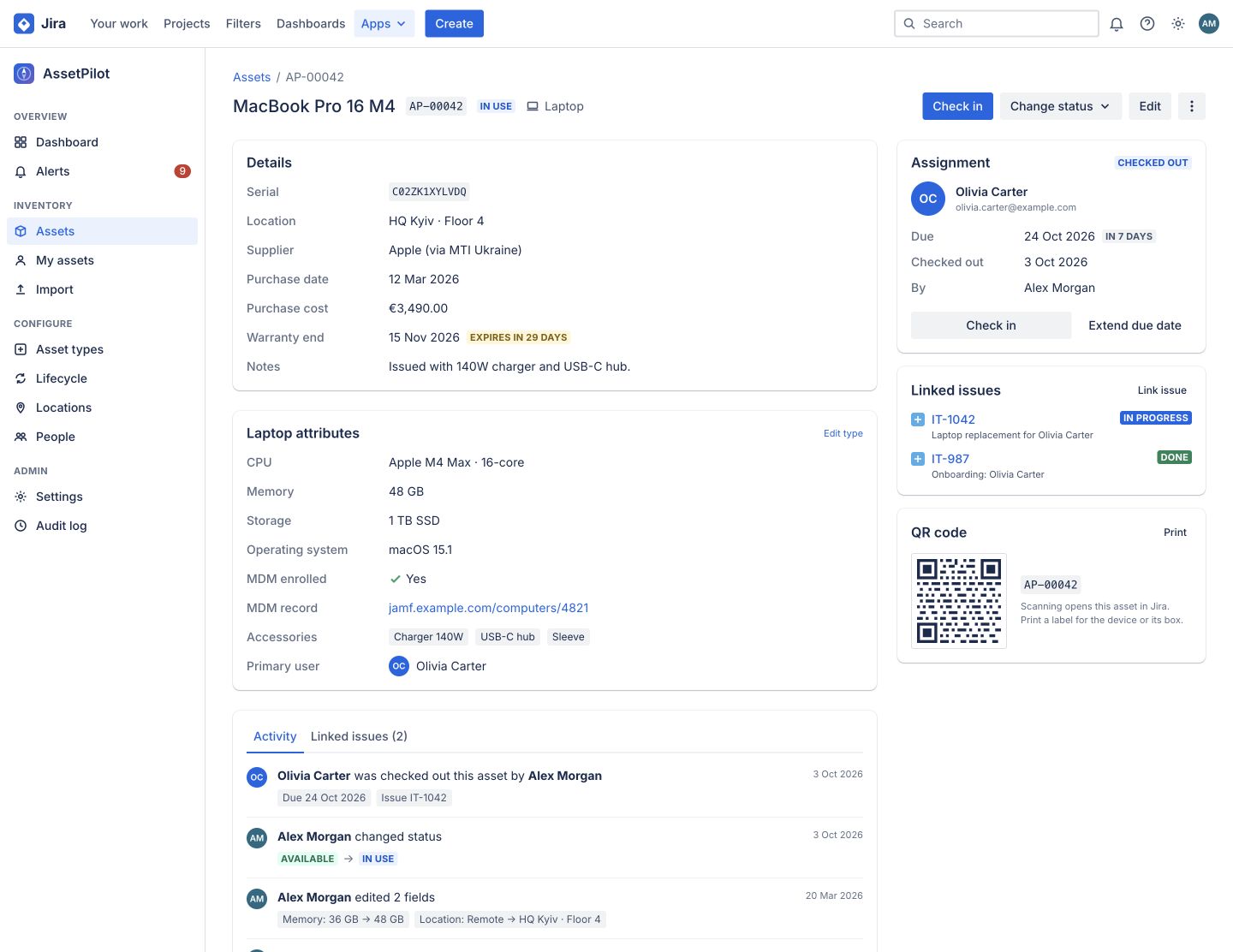
Track assignments, returns, warranties and changes. Give every device a record your next teammate can understand.
Built for the work
around the asset.
AssetPilot Connect brings device data from Intune, Jamf Pro and Kandji into your register, then sends asset updates where your team works.
A separate, optional app. Free with AssetPilot.
How data moves through your connected workflow
See the impact before writing to your register. Choose hourly, six hourly or daily updates, with a record of created, updated and skipped devices.
Preserve existing assignments when device data refreshes. Decide whether names may be overwritten and available devices assigned.
Choose which changes reach Slack or Teams. Use signed webhooks with delivery history, or scoped, revocable API keys for your own tools.
The device. The owner.
The ticket. Together.
Plugins Factory builds for the moment an IT team needs an answer. The inventory and the request belong in the same workflow.
Start your security review with the actual architecture: a Forge core for your inventory and a separate companion for external connections.
Asset register
Ownership & history
Jira issue context
Connections to services you configure
No. AssetPilot works as your core asset register. Install AssetPilot Connect only when you need MDM synchronization, external notifications, webhooks or an API gateway.
Yes. Import a CSV, map its columns to asset fields and review validation results before committing. Matching asset tags or serial numbers can be skipped or updated.
These apps are built on Atlassian Forge for Jira Cloud. The product architecture shown here is not a Jira Data Center deployment.
Existing assignments are preserved. Connect lets you choose name overwrite behavior and whether available devices can be assigned. Preview a sync and review its results before enabling your preferred schedule.
Confirm the current installation link, licensing and trial terms, requested permissions, data flows, retention, privacy terms and support commitments. The evaluation brief below brings these questions into one document.
Plugins Factory is an independent company building apps for the Atlassian ecosystem. Jira and Atlassian are trademarks of Atlassian.
Turn your requirements into a brief for your IT, security and procurement teams.